Alisa Kharakozova
Case Study

Prodigi Jr

A redesign of Mangahigh’s adaptive math lesson engine for students in Kindergarten through Grade 2.

RoleHead Designer and Project Lead
TeamLed 2 designers across product, UX, and visual design
FocusLearning experience, UX strategy, product systems
PlatformMath games, LMS delivery, and adaptive practice
Prodigi Jr student-facing activity start screen
01 Overview

Adapting an existing engine for younger learners.

Mangahigh.com is a platform for math games, practice quizzes, and inter-school competitions.

Prodigi served Grades 3 to 9. Prodigi Jr redesigned the model for Kindergarten through Grade 2, with new interaction patterns, a younger visual language, and a more flexible activity-building system.

User groups for Prodigi Jr
The product needed to support students, teachers, parents, and admins.
Prodigi Jr platform architecture
Prodigi Jr had to fit inside the broader Mangahigh ecosystem rather than function as a separate product.
02 Planning

Aligning product, curriculum, and engineering.

As Lead Product Designer, I led a team of two designers while partnering with curriculum, engineering, and product to define the activity model, student experience, authoring workflows, and implementation.

Technical workflow planning
Early planning connected design, development, review, and delivery.
Teacher and student flow
The assignment loop linked teacher setup, student gameplay, and performance data.
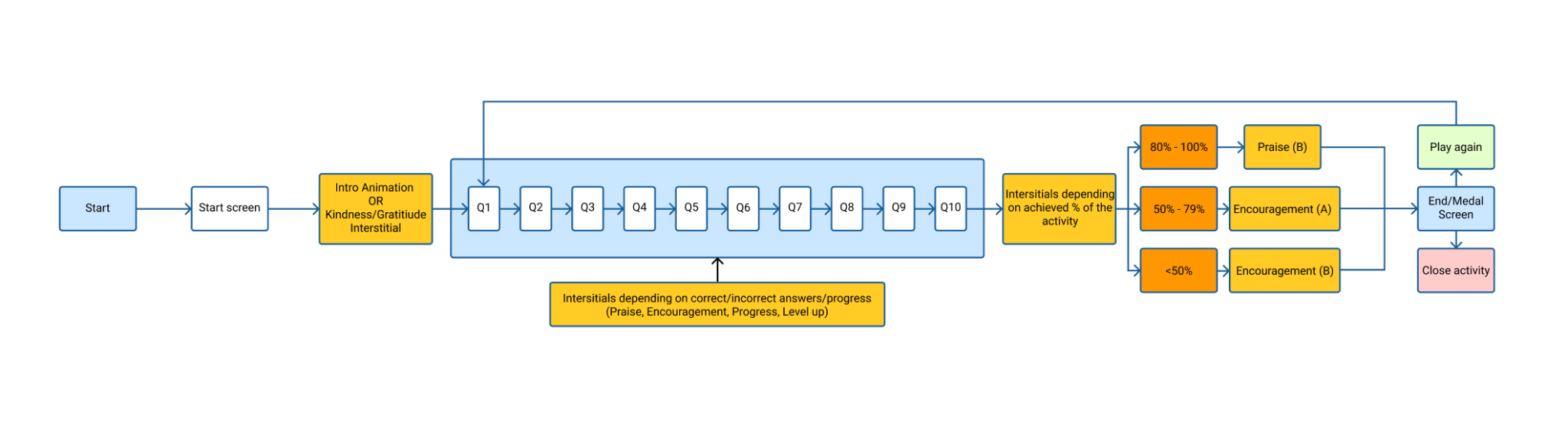
Activity flow
The student activity flow covered questions, feedback, interstitials, end screens, and replay.
03 Authoring Platform

A reusable system for building activities.

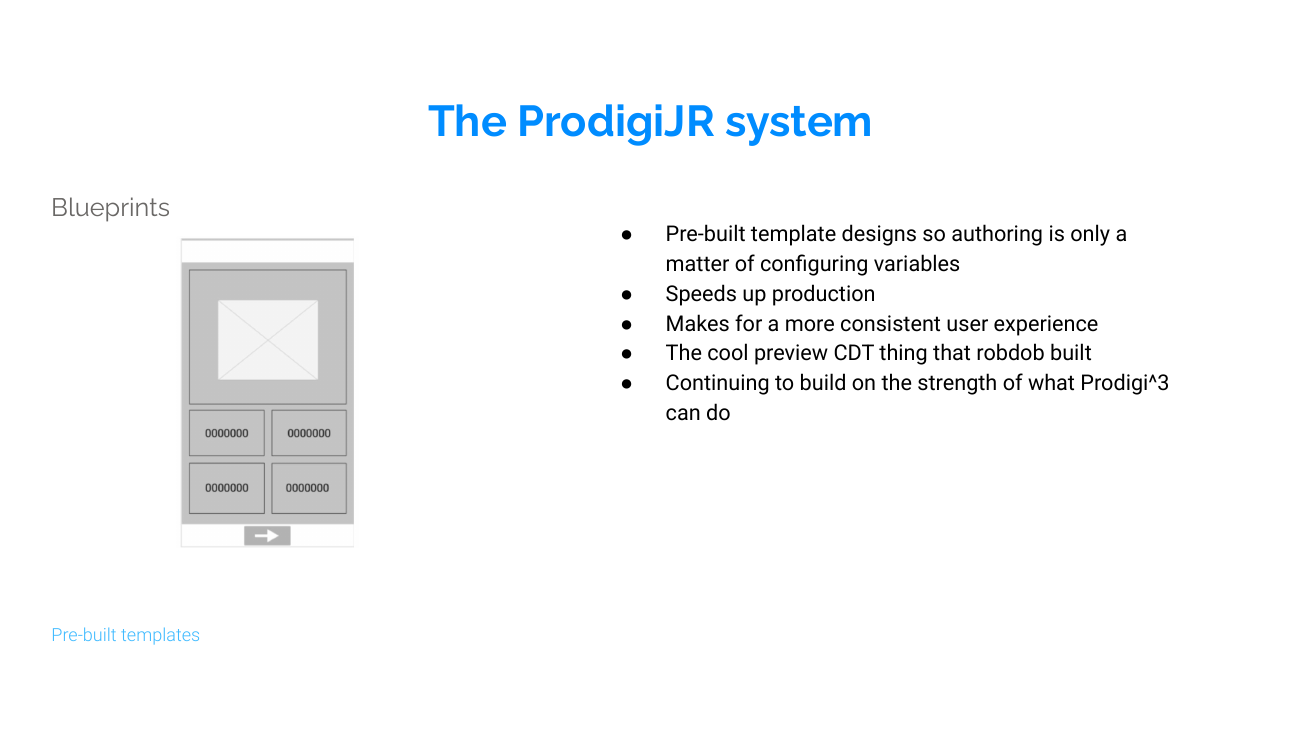
I designed the Blueprint authoring framework so curriculum authors could create, configure, preview, and publish reusable learning activities without redesigning each experience.

The framework connected authoring, reusable content architecture, LMS delivery, and gameplay into a scalable content pipeline.

Blueprint Design Tool editor
The Blueprint Design Tool gave authors one place to configure question sequences, content, and interaction settings.
Blueprint Design Tool preview
A live preview reduced back-and-forth between authors, designers, and engineering.
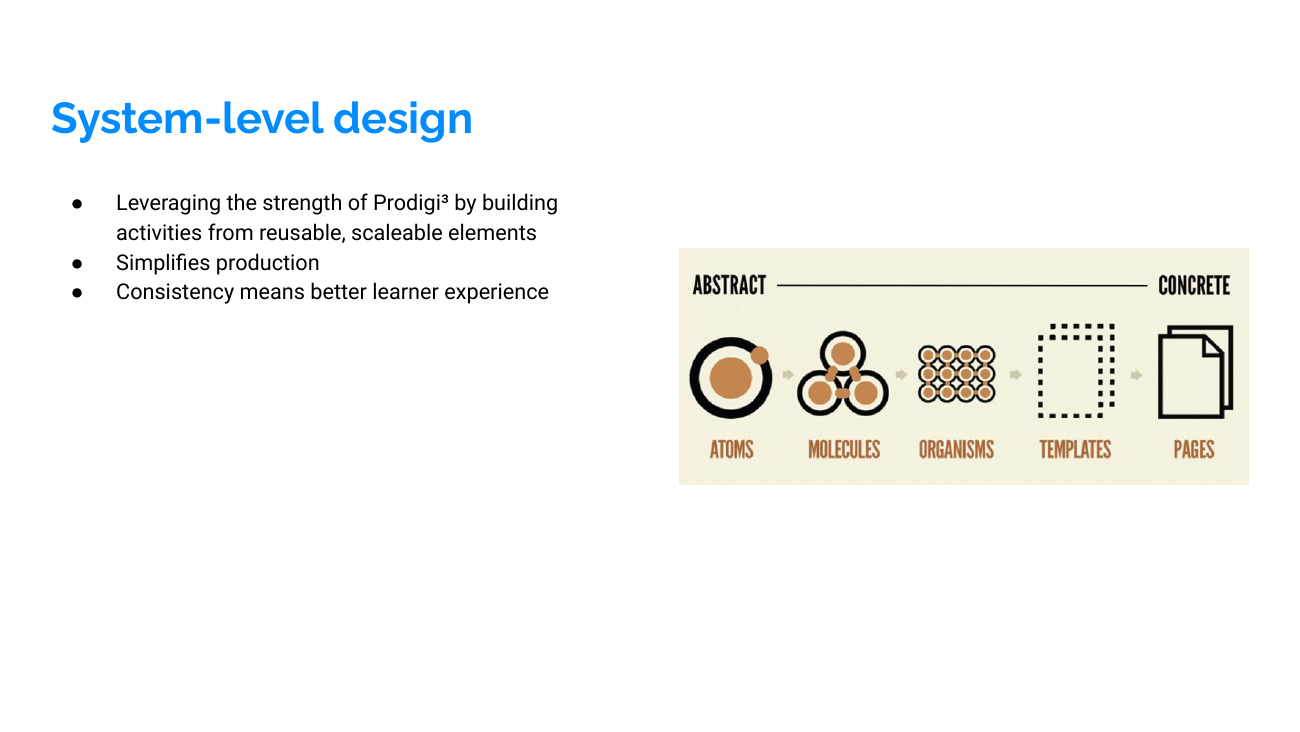
Reusable display plugins
Display plugins created reusable screen patterns across activity types.
Math template examples
Math templates separated content from interaction logic, making the system easier to scale.
04 Adaptive Model

Designing adaptive progression.

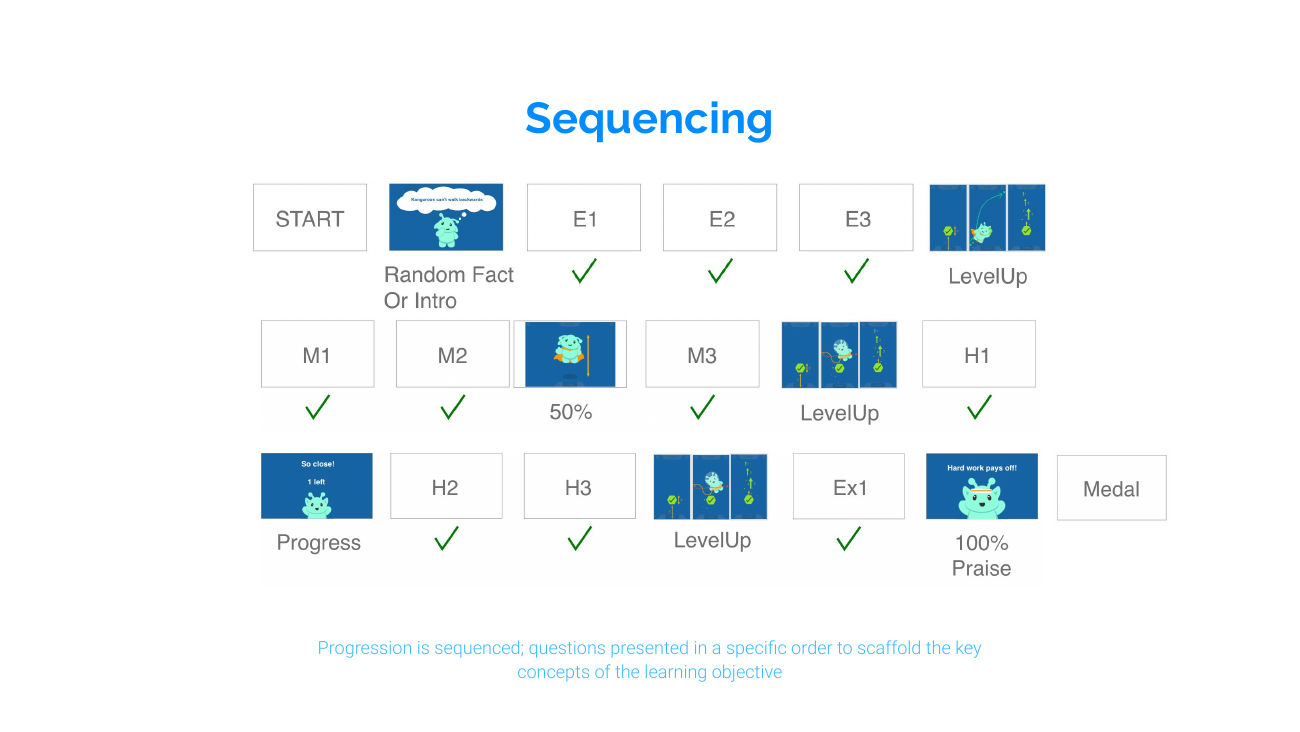
The activity model adjusted question difficulty based on learner performance, helping students move through practice without the experience feeling punitive or overly complex.

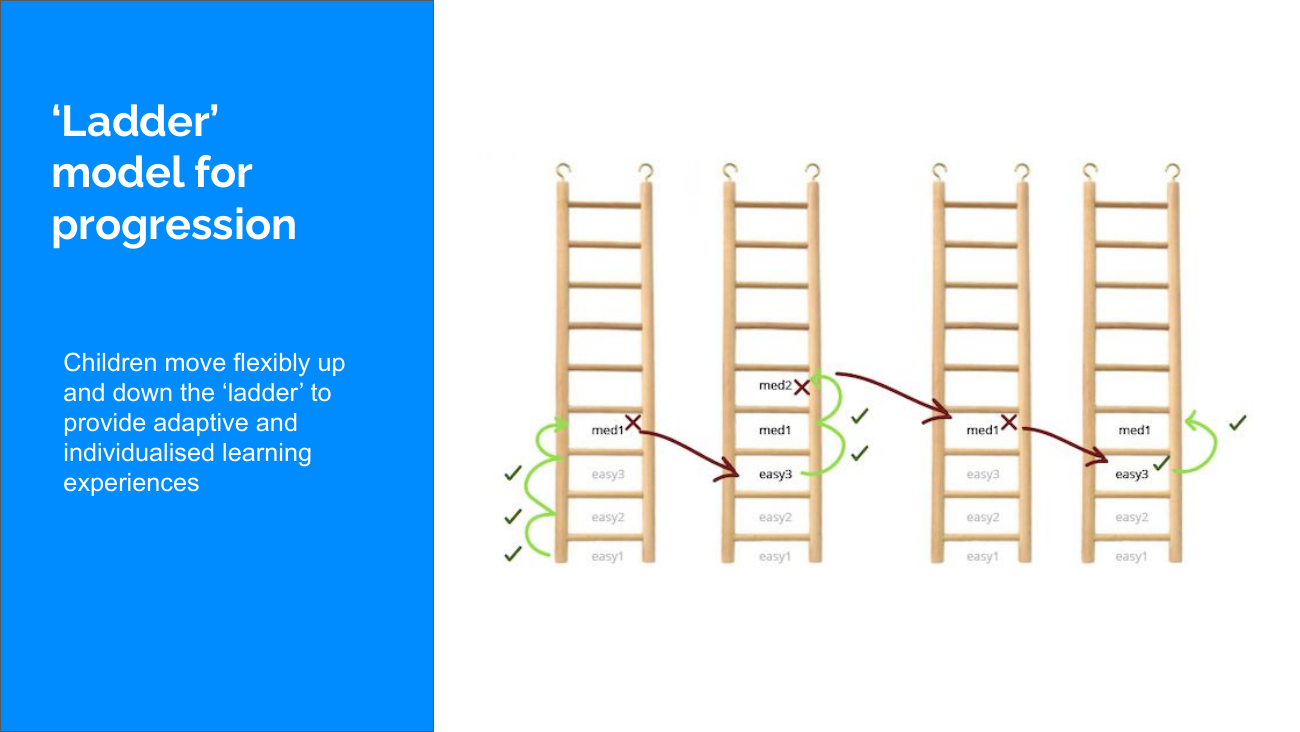
Adaptive model flowchart
The model mapped progression across easy, medium, and hard question levels.
Leveling up
Correct performance moved students to the next level of difficulty.
Wrong answer handling
Incorrect answers stepped students down one level rather than stopping the activity.
Progress indicators
Progress could be represented as percentage, fraction, count, or remaining questions depending on the activity.
05 Early Learners

Designing for Kindergarten through Grade 2.

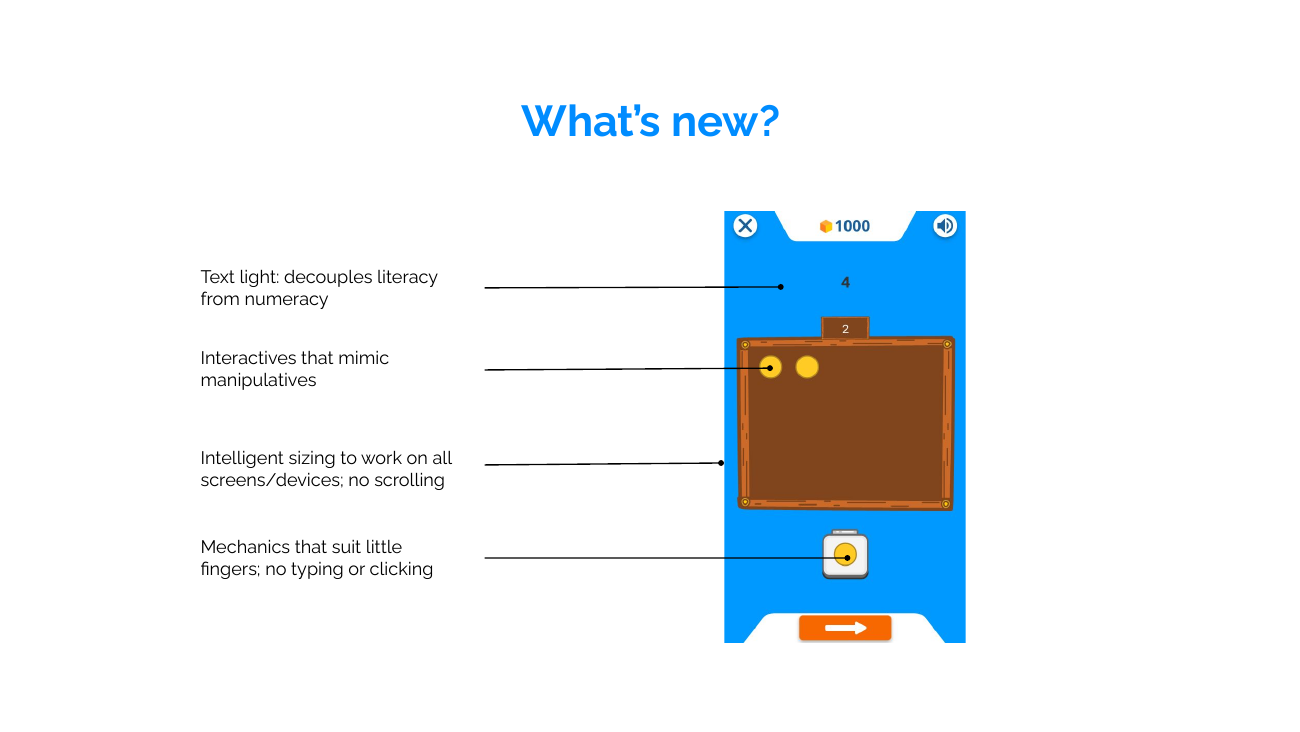
The K–2 experience needed to reduce reading dependence, limit working-memory demands, and make abstract math feel concrete through touch-friendly interaction patterns.

Reduce reading load

Activities were designed to assess mathematical understanding, not literacy. Prompts, labels, and instructions were kept minimal so younger learners could focus on the task.

Reduced reading load example

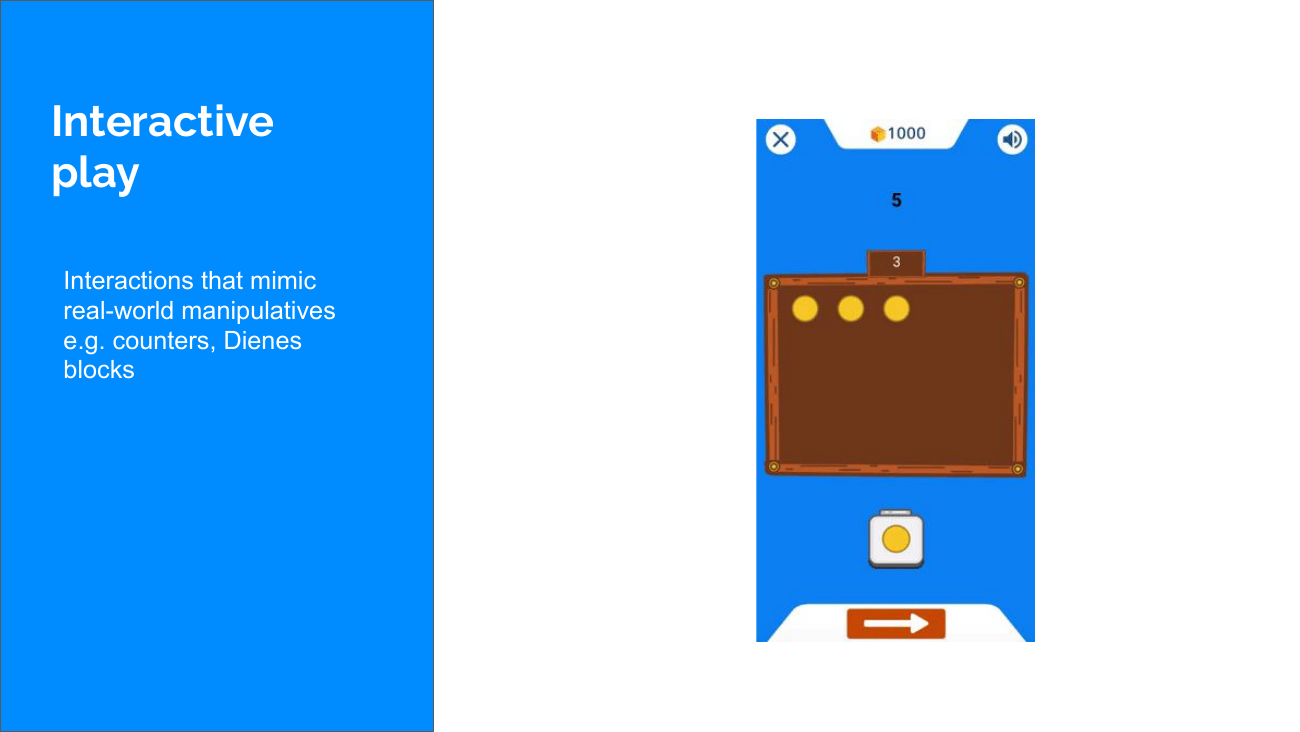
Keep interactions visible and direct

Instead of hidden controls or abstract UI patterns, students interacted with clear on-screen objects that behaved like classroom manipulatives.

Touch-friendly interaction example

Make math concrete

Reusable visual models, including ten-frames and block-style manipulatives, helped students reason through counting, grouping, comparison, and quantity.

Visual manipulatives for early math
06 Student Experience

A calmer, more playful learning layer.

The final student-facing direction used friendly characters, clearer prompts, and simple activity screens to make adaptive practice feel approachable for younger learners.

Prodigi Jr start screen
Student-facing activity start screen.
Prodigi Jr alien character studies
Character direction for the younger student experience.
Prodigi Jr owl character studies
Feedback character explorations for encouragement and guidance.
07 Reflection

Designing for Scale

I led product design across the platform, translating learning science into a scalable product strategy while collaborating with curriculum, engineering, and fellow designers. Rather than designing isolated features, I focused on creating systems that could support the product as it evolved.

Next project

View Vocalex →